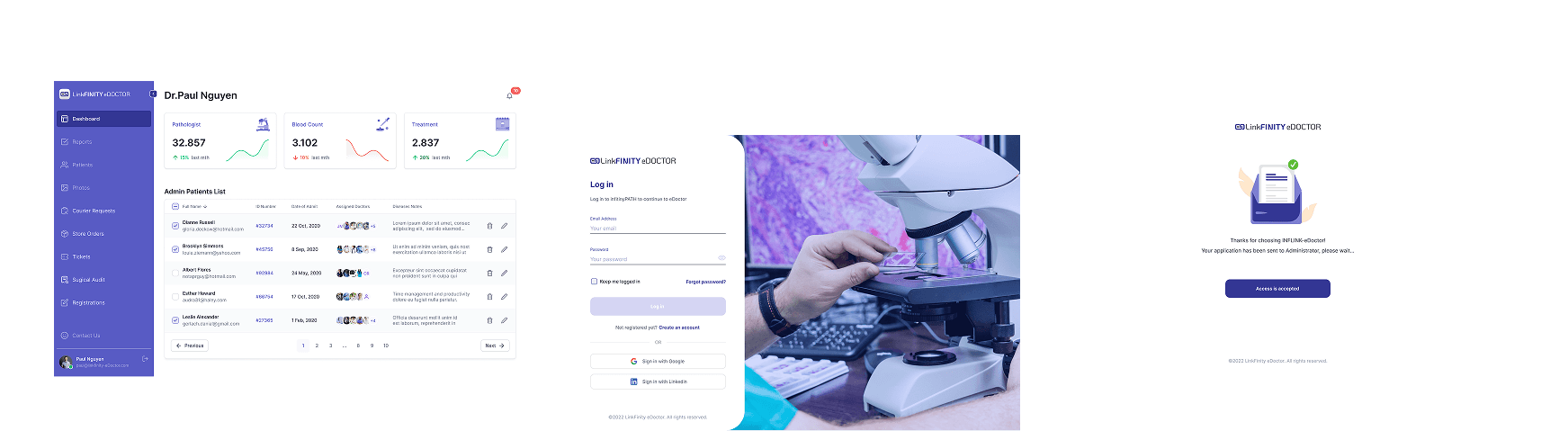
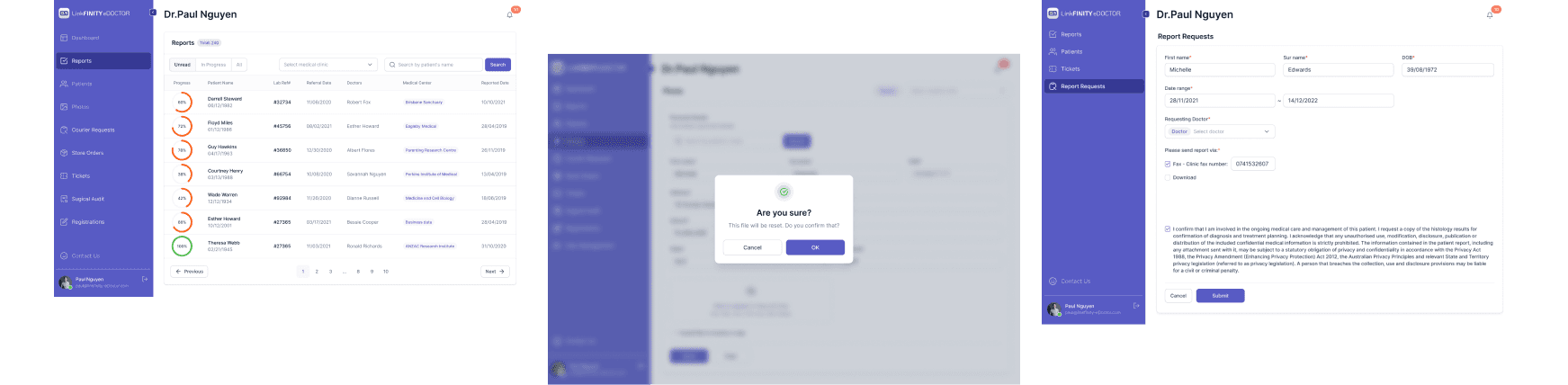
Overview

Year
2023
Category
Healthcare, Productivity
Role
Digital Product Designer
My Role & Responsibilities
🔹 My Role
Digital Product Designer
Interface design, UX research, experience optimization
🔹 Responsibilities
✅ Develop dashboard & UX flow
✅ Design UI from wireframe to hi-fidelity prototype
✅ Optimize UX for doctors, nurses, medical professionals
✅ Collaborate with CTO to develop products
🔹 Collaboration
CTO (propose initial wireframe)
Developers (implement UI/UX into the system)
Doctors & Medical Staff (key users, provide feedback)
🔹 Tools Used
Figma (Wireframe, Prototype, UI Design)
Jira (Task management and documentation)
UX FRAMEWORK
🔷 Double Diamond Framework
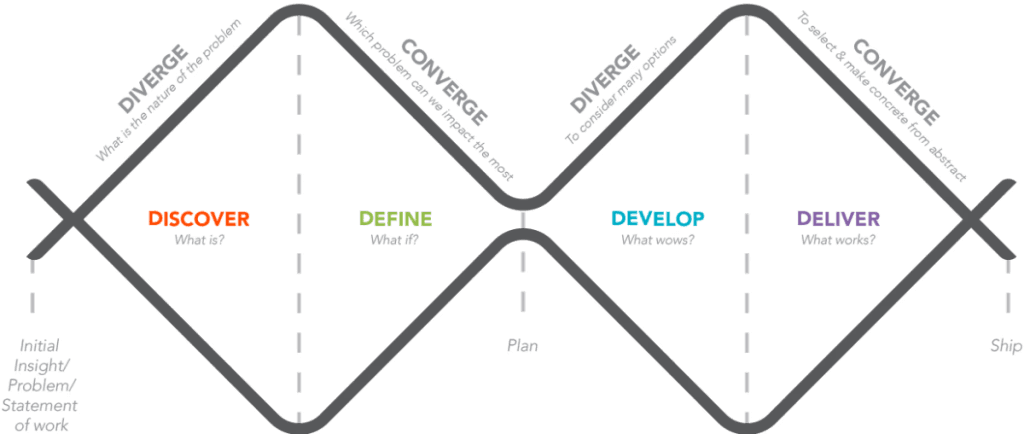
A proven model for approaching complex UX problems through 4 key phases:
✦ Discover: Understand the problem
✦ Define: Narrow down core issues
✦ Develop: Design possible solutions
✦ Deliver: Final execution and validation
TARGET AUDIENCE
In the discovery phase, we identified the target users through stakeholder discussions and expert interviews with medical staff. Since eDoctor is an internal clinical system, we used Role-Based Persona Mapping and Workflow Analysis to understand their core needs.
Methods used:
👥 Stakeholder-Assisted User Profiling

👨⚕️ Doctor (General Practitioner / Specialist)
Quickly access patient records and medical history
View and interpret test results accurately
Make informed clinical decisions with minimal delay
Search for and review lab reports
Request new tests or follow-up diagnostics
Communicate with lab staff or request corrections
Track status of pending results
Difficulties finding past reports due to poor filters
Lack of clear progress/status indicators
No notifications when new results are ready
No unified dashboard view for multiple patients

👩⚕️ Nurse (Clinical or Support Nurse)
Support doctors in managing patient care smoothly
Monitor and coordinate patient test schedules
Reduce time spent on administrative follow-up
Assist in submitting test requests
Follow up on pending lab results
Notify patients or update records based on test outcomes
Prepare patient files for consultation
A simplified interface for multi-tasking
Quick view of which patients need follow-up
Real-time alerts for completed reports or delayed tests
Visibility into what’s been done vs. what’s pending

👩⚕️ Nurse (Clinical or Support Nurse)
Receive and process test requests
Upload test results and attach relevant documents/images
Handle test discrepancies or errors
Update status of reports in the system
Incomplete or unclear test request forms
No structured way to report test discrepancies
Manual coordination with doctors for corrections
Workflow interruptions due to missing information
Discrepancy ticket management
Report upload module with annotation
Dashboard showing test queue and report status
Communication log or comments from doctors
Key insights gathered:
➤ Medical professionals have limited time and need fast, reliable tools
➤ Existing systems are either too complex or not tailored to their actual tasks
➤ Reporting delays affect clinical decision-making and patient trust
➤ Most tools lack history tracking and real-time collaboration features
✸ Primary Audience
✸ Secondary Audience
Realistic User Feedback


Detailed Insights
🧠 Cognitive Load & Workflow Disruption
🔔 Lack of Real-Time Notifications
🧾 Error Management & Task Ownership
📈 Missing Patient History & Status Overview
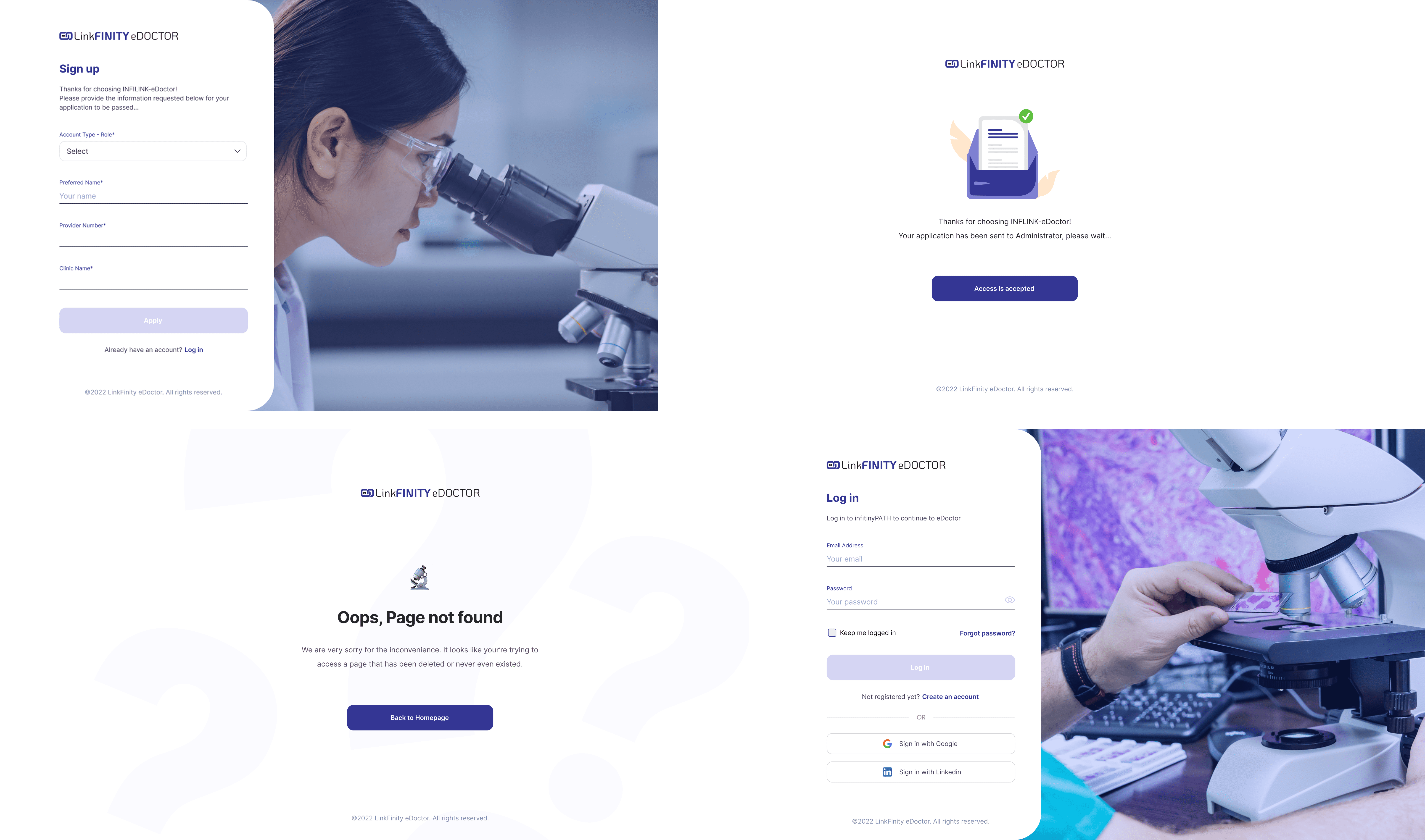


Key Features
The eDoctor platform empowers doctors, nurses, and lab professionals to manage patient records, test reports, and diagnostics efficiently. Through real-time visibility, streamlined workflows, and smart communication tools, the app turns complex medical operations into clear, reliable actions.
🔎 Advanced Patient Record Search
🔔 Real-Time Notifications & Alerts
📝 Discrepancy Ticket Management
📊 Patient History & Report Timeline
The Solutions
Problem 1: Slow and Inefficient Search for Patient Records & Reports
🔹 Issue:
The platform lacked powerful filtering and smart search functions, making it time-consuming for doctors to locate specific patient records or test results.
✅ Solution:
Introduced advanced filters by date range, assigned doctor, and report status
Implemented auto-suggest search to help users find relevant information faster and with fewer clicks


Problem 2: Poor Visibility into Report Progress
🔹 Issue:
Users found it difficult to track the current status of medical reports, often leading to delays and missed follow-ups.
✅ Solution:
Added progress indicators with percentage completion and color-coded statuses for quick visual recognition
Integrated real-time notifications to alert doctors when new reports are ready or require urgent attention


Problem 3: Lack of Efficient Ticket Management for Report Errors
🔹 Issue:
Doctors needed a streamlined way to flag issues, request report corrections, or follow up on test discrepancies, but the system lacked any structured ticketing workflow.
✅ Solution:
Designed a discrepancy ticket system to log, track, and prioritize report issues
Introduced a user friendly-style interface to help users visualize, assign, and manage ticket status efficiently


Final Outcome & Reflection
As the Digital Product Designer, I collaborated closely with the CTO to design and complete the core product features and overall system structure. From early-stage concept discussions to final UI/UX delivery, I translated the CTO’s vision into a scalable, developer-ready interface.
While I didn’t directly conduct real-user testing or gather UX metrics due to the project’s internal nature, success was measured through:
On-time delivery aligned with product goals
Iterative feedback from the CTO and key stakeholders
Positive internal responses from target users (doctors, lab staff)
The developers continued product implementation based on the finalized design system, UX flow, and responsive layout I created. The project was considered a success internally, both functionally and visually, receiving direct approval from the CTO and leadership.