

High-quality Figma components with variables for faster project setup and maintenance.
High-quality Figma components with variables for faster project setup and maintenance.
Color System
Color System
Color System
Typography
Typography
Icons
Icons
Icons
Buttons
Buttons
Buttons
Inputs
Inputs
Inputs
Component Variants
Component Variants
Component Variants
Token System
Token System
Token System
Auto Layout
Auto Layout
Auto Layout

High-quality Figma components with variables for faster project setup and maintenance.
Color System
Typography
Icons
Buttons
Inputs
Component Variants
Token System
Auto Layout
A Design System that helps create clean, consistent, and scalable interfaces. It unifies style, components, and rules, making the design process faster and easier to maintain. The result: a seamless experience across every touchpoint, where consistency becomes the foundation users trust.
A Design System that helps create clean, consistent, and scalable interfaces. It unifies style, components, and rules, making the design process faster and easier to maintain. The result: a seamless experience across every touchpoint, where consistency becomes the foundation users trust.
A Design System that helps create clean, consistent, and scalable interfaces. It unifies style, components, and rules, making the design process faster and easier to maintain. The result: a seamless experience across every touchpoint, where consistency becomes the foundation users trust.
A Design System that helps create clean, consistent, and scalable interfaces. It unifies style, components, and rules, making the design process faster and easier to maintain. The result: a seamless experience across every touchpoint, where consistency becomes the foundation users trust.
A Design System that helps create clean, consistent, and scalable interfaces. It unifies style, components, and rules, making the design process faster and easier to maintain. The result: a seamless experience across every touchpoint, where consistency becomes the foundation users trust.
A Design System that helps create clean, consistent, and scalable interfaces. It unifies style, components, and rules, making the design process faster and easier to maintain. The result: a seamless experience across every touchpoint, where consistency becomes the foundation users trust.

Overview
GreenPassport (GPass) is a digital agriculture platform designed to support the transition toward Smart Farming and Sustainable Agriculture. The product serves two main user groups:
Farmers (Mobile App): to record farming activities, manage farm data, and engage with the community
Businesses & Administrators (Web Dashboard): to monitor agricultural data, validate farming processes, and ensure supply chain transparency
The platform integrates multiple complex domains including farm management, activity recording, community interaction, and data analytics, resulting in a highly interconnected product ecosystem across mobile and web.
In addition, the project was developed under tight timelines and fast-paced delivery cycles, requiring the team to design and ship features continuously while aligning across multiple stakeholders.
GreenPassport (GPass) is a digital agriculture platform designed to support the transition toward Smart Farming and Sustainable Agriculture. The product serves two main user groups:
Farmers (Mobile App): to record farming activities, manage farm data, and engage with the community
Businesses & Administrators (Web Dashboard): to monitor agricultural data, validate farming processes, and ensure supply chain transparency
The platform integrates multiple complex domains including farm management, activity recording, community interaction, and data analytics, resulting in a highly interconnected product ecosystem across mobile and web.
In addition, the project was developed under tight timelines and fast-paced delivery cycles, requiring the team to design and ship features continuously while aligning across multiple stakeholders.
Year
Year
2026
2026
Category
Category
Productivity
Productivity
Team Structure
Team Structure
2 Members: Annie & Alex
2 Members: Annie & Alex

WHY DESIGN SYSTEM?
As the product scaled across multiple platforms (Mobile & Web) and diverse feature sets, combined with tight deadlines and continuous delivery, the team faced several critical challenges:
➤ Inconsistent UI patterns across different modules
➤ Repeated design efforts and slower iteration cycles
➤ Lack of shared standards between design and development
➤ Increasing difficulty in maintaining scalability and consistency
To address these issues, we initiated the development of a Design System to:
➤ Ensure consistency across fast-moving features
➤ Improve design efficiency under tight timelines
➤ Enable faster handoff and implementation
➤ Build a scalable foundation for long-term product growth
➤ Align design decisions across team members and stakeholders
As the product scaled across multiple platforms (Mobile & Web) and diverse feature sets, combined with tight deadlines and continuous delivery, the team faced several critical challenges:
➤ Inconsistent UI patterns across different modules
➤ Repeated design efforts and slower iteration cycles
➤ Lack of shared standards between design and development
➤ Increasing difficulty in maintaining scalability and consistency
To address these issues, we initiated the development of a Design System to:
➤ Ensure consistency across fast-moving features
➤ Improve design efficiency under tight timelines
➤ Enable faster handoff and implementation
➤ Build a scalable foundation for long-term product growth
➤ Align design decisions across team members and stakeholders
Foundations
Color system (Brand vs Product color separation)
Typography
Spacing & grid
Elevation & shadow
Components
Buttons, inputs, dropdowns
Tables & data-heavy components (for dashboard)
Cards & mobile components
Tags, badges, and status indicators
Buttons, inputs, dropdowns
Tables & data-heavy components (for dashboard)
Cards & mobile components
Tags, badges, and status indicators
What's inside

Color System
Consistent color tokens and palettes for scalable themes and clear visual hierarchy
Color System
Consistent color tokens and palettes for scalable themes and clear visual hierarchy

Typography
A flexible type system with predefined roles and scales for readable interfaces.
Typography
A flexible type system with predefined roles and scales for readable interfaces.

Spacing and Radius
Structured spacing, sizing, corner rules that keep layouts balanced & predictable.
Spacing and Radius
Structured spacing, sizing, corner rules that keep layouts balanced & predictable.

Icons
A huge icon set designed to stayt clear, meaningful, and visually aligned
Icons
A huge icon set designed to stayt clear, meaningful, and visually aligned

Grid System
Responsive grids for consistent layouts across screen sizes and breakpoints.
Grid System
Responsive grids for consistent layouts across screen sizes and breakpoints.

Shadows and Blurs
Depth and elevation styles that add clarity, focus, and visual rhythm
Shadows and Blurs
Depth and elevation styles that add clarity, focus, and visual rhythm
What's inside
Color System
Consistent color tokens and palettes for scalable themes and clear visual hierarchy
Typography
A flexible type system with predefined roles and scales for readable interfaces.
Spacing and Radius
Structured spacing, sizing, corner rules that keep layouts balanced & predictable.
Icons
A huge icon set designed to stayt clear, meaningful, and visually aligned
Grid System
Responsive grids for consistent layouts across screen sizes and breakpoints.
Shadows and Blurs
Depth and elevation styles that add clarity, focus, and visual rhythm
Atomic Design Principles
Atomic Design is a modular approach that breaks interfaces into reusable pieces, making their structure clear and connected
Design Tokens
Core variables that define colors, typography, spacing.
Design Tokens
Core variables that define colors, typography, spacing.
Real-Time Tracking
Core variables that define colors, typography, spacing.
Atoms
The smallest UI parts: icons, buttons, and input fields.
Atoms
The smallest UI parts: icons, buttons, and input fields.
Atoms
The smallest UI parts: icons, buttons, and input fields.
Molecules
Groups of atoms forming simple components.
Molecules
Groups of atoms forming simple components.
Molecules
Groups of atoms forming simple components.
Organisms
Larger components made of molecules and atoms
Organisms
Keep your analytics safe with advanced security and strong encryption.
Organisms
Larger components made of molecules and atoms
Templates
Layouts showing how components connect within a structure.
Pages
Final screens filled with real data and content.
Pages
Final screens filled with real data and content.
Token Variable

The design system establishes a solid foundation for components, defining their appearance, behavior, and scalability across the entire product.
The design system establishes a solid foundation for components, defining their appearance, behavior, and scalability across the entire product.

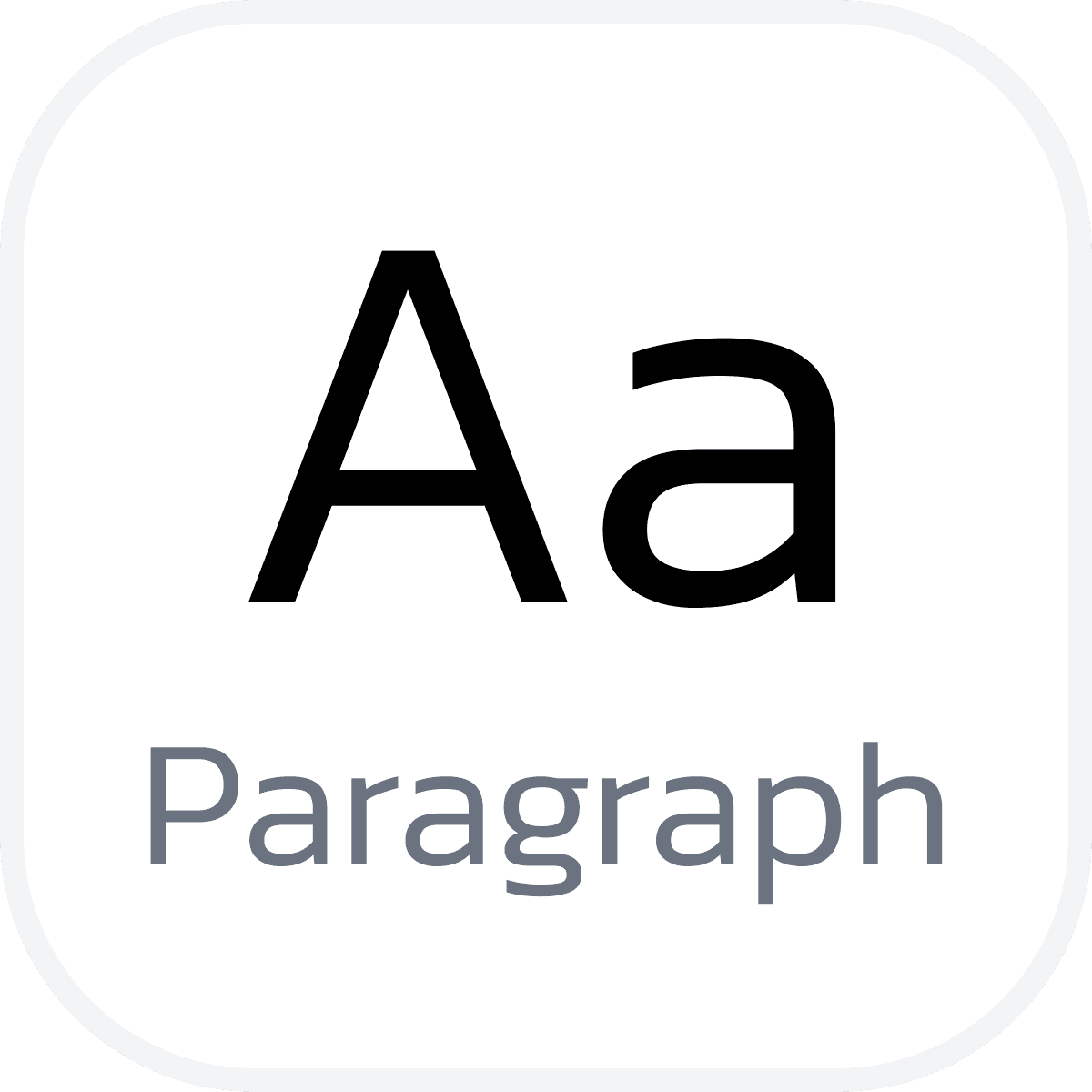
Typography
The typographic system clearly defines text styles as crucial design tokens and mandates how titles and body text must be applied for maximum effectiveness.




Iconography
A unified icon system built on consistent stroke, size, and grid rules. Icons stay clear and readable at any scale and adapt to semantic colors automatically
Line stroke: 1.6

Outline icons
Outline icons are built on a shared grid and adaptive stroke rules, keeping consistency while allowing the stroke thickness to be adjusted when needed.
Outline icons are built on a shared grid and adaptive stroke rules, keeping consistency while allowing the stroke thickness to be adjusted when needed.
Solid icons
Solid icons provide stronger visual weight for active, filled, or emphasized states, ensuring quick recognition in dynamic UI and improving overall visual hierarchy.
Solid icons provide stronger visual weight for active, filled, or emphasized states, ensuring quick recognition in dynamic UI and improving overall visual hierarchy.

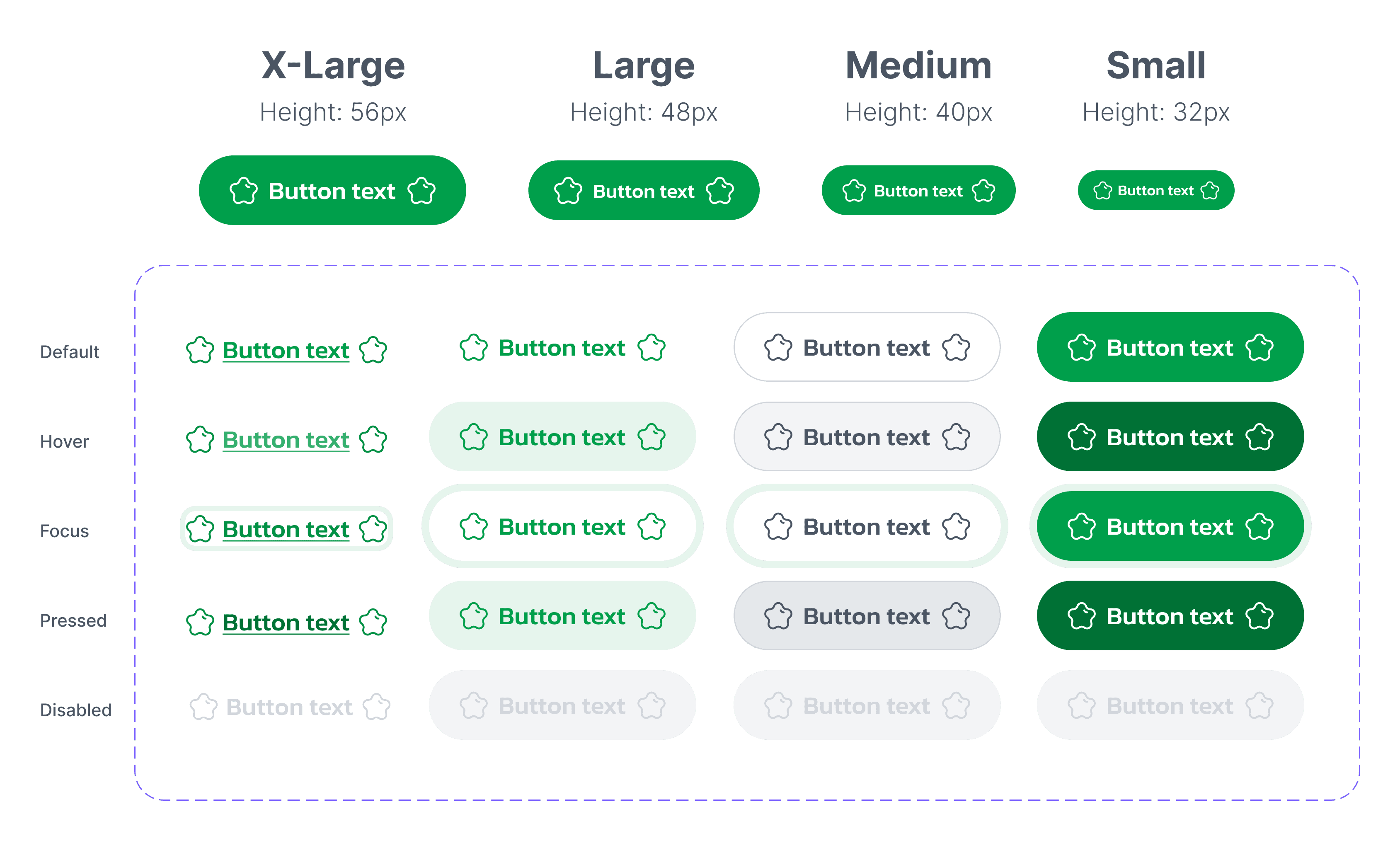
Buttons
Buttons adapt to different use cases through shared variables: size, palette, type and state. Every button follows the same spacing, grid, and logic, making interactions consistent across the entire interface



Simple Components
A library of essential UI components built on shared tokens and properties. Each element follows the same spacing, sizing, and state logic to keep the interface consistent.

Button
Built with semantic colors and consistent states for clarity
Button
Built with semantic colors and consistent states for clarity

Input fields
Clear hierarchy: label, field, help text, and validation states.
Input fields
Clear hierarchy: label, field, help text, and validation states.

Navigation
At the bottom of the screen for quick access between views.
Navigation
At the bottom of the screen for quick access between views.
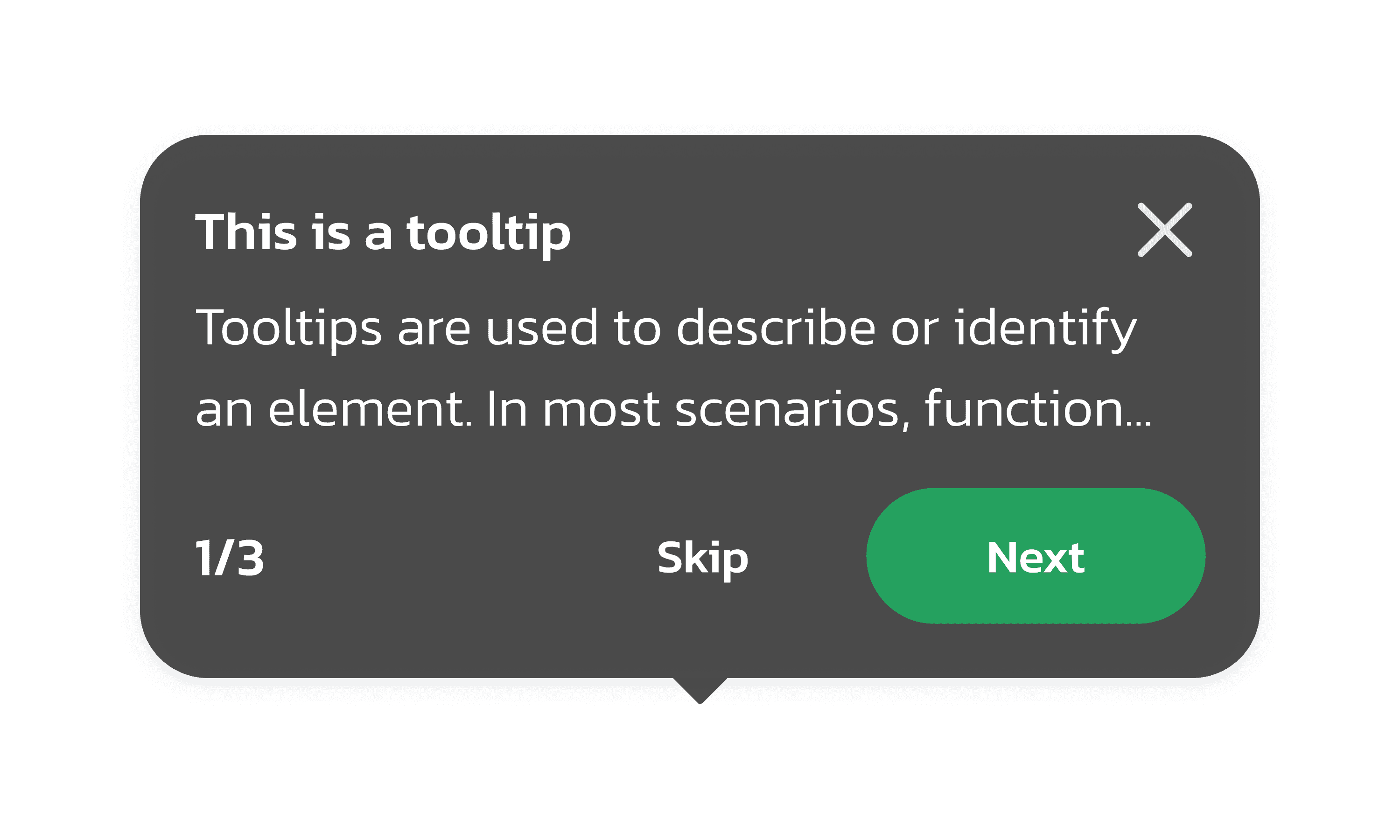
Tooltips
Displays informative text when users hover over or focus on..
Tooltips
Displays informative text when users hover over or focus on..
Button
Built with semantic colors and consistent states for clarity
Input fields
Clear hierarchy: label, field, help text, and validation states.
Navigation
At the screen's bottom allows navigation to other screens.
Tooltips
Displays informative text when users hover over or focus on..

Avatar
Visual identifiers with support for user status and grouping.
Avatar
Visual identifiers with support for user status and grouping.

Snackbars
A temporary message that provides feedback after an action.
Snackbars
A temporary message that provides feedback after an action.

Checkboxes, radio button
Simple selection controls with clear active and focus states
Checkboxes, radio button
Simple selection controls with clear active and focus states
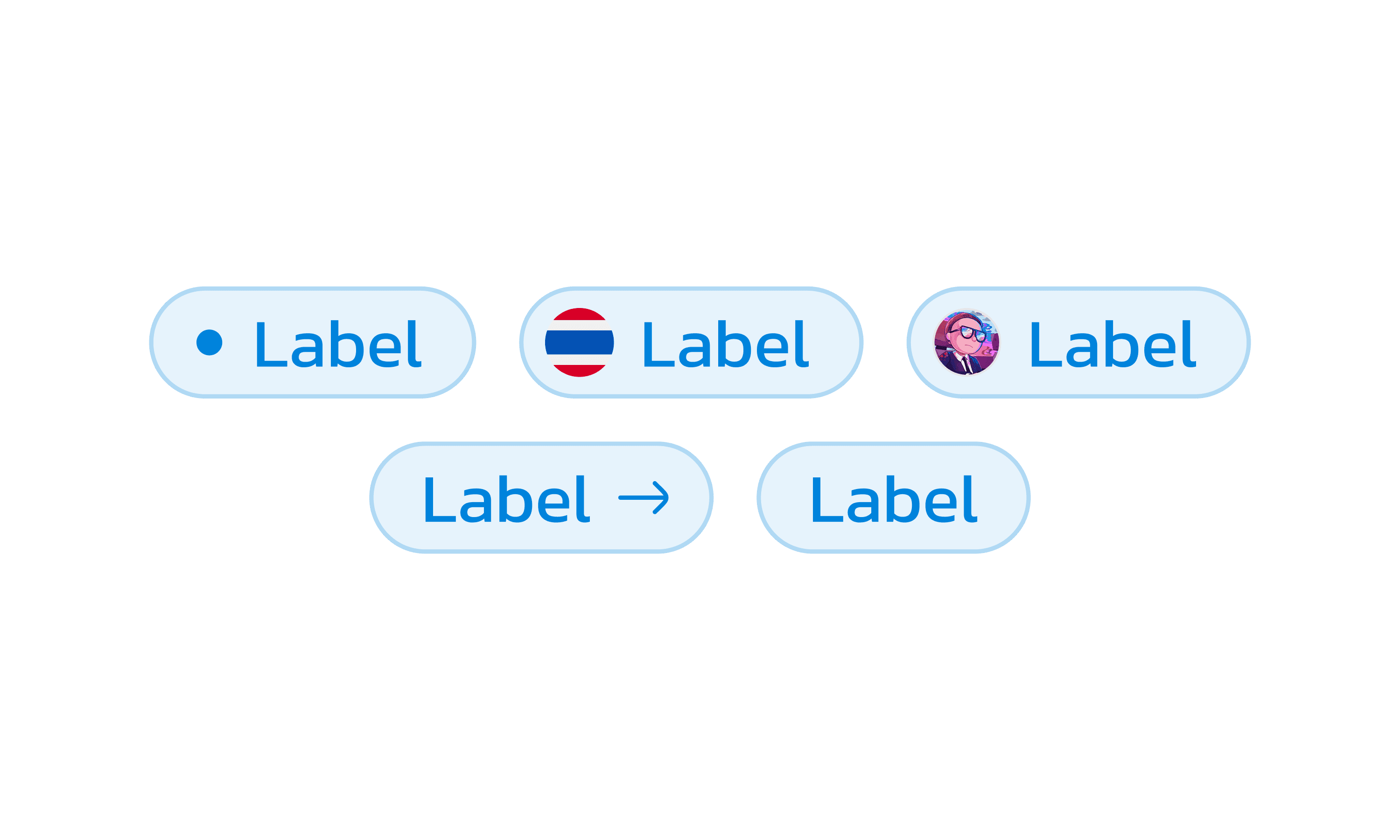
Badges
Highlights status or count using semantic color tokens.
Badges
Highlights status or count using semantic color tokens.
Avatar
Visual identifiers with support for user status and grouping.
Snackbars
A temporary message that provides feedback after an action.
Checkboxes, radio button
Simple selection controls with clear active and focus states
Badges
Highlights status or count using semantic color tokens.

Explore GreenPassport
Explore GreenPassport
Thank you for your attention!
Thank you for your attention!
Thank you for your attention!


MORE PROJECT
MORE PROJECT
MORE PROJECT


LET'S WORK
TOGETHER
ANNIE'S PORTFOLIO

UI UX DESIGN

PRODUCT DESIGN

WEB & APP

FRAMER DEVELOPMENT

LET'S TALK

LET'S WORK
TOGETHER
ANNIE'S PORTFOLIO
UI UX DESIGN
PRODUCT DESIGN
WEB & APP
FRAMER DEVELOPMENT
LET'S TALK
Portfolio©2026 by Annie
LET'S WORK
TOGETHER
ANNIE'S PORTFOLIO
UI UX DESIGN
PRODUCT DESIGN
WEB & APP
FRAMER DEVELOPMENT
LET'S TALK
Portfolio©2026 by Annie